
It’s free to create an account on Meets & Rallies. By doing so, you will be able to save events to your own custom Collections, interact and contribute to event Discussions, and much more.
If you organise events for your club/group, you will need to create an account before you can create a Club and Event listing.
From any page, click on “Login” found in the top right corner of the page, or click here.
You will be presented with the login page. Click on the last option labelled “Sign up”.
Enter your information into the fields. If you intend to create a club or event listing, keep in mind that a club and event can only belong to one account, so if you would like others to be able to access the account to update your club or event information, you would need to share these details with them.
Click “Sign up”.
If there has been an issue with any of the information you have entered, you should see a message pop up to let you know where the issue is and that you need to update that field.
You will now need to confirm your email address. This ensures you’re are using a valid email address and helps prevent ‘bots’ and automated account creation.
A Confirmation Code will be emailed to you via the address you entered on the previous page and should look like the following. Each code is unique and is only valid for a short period of time.
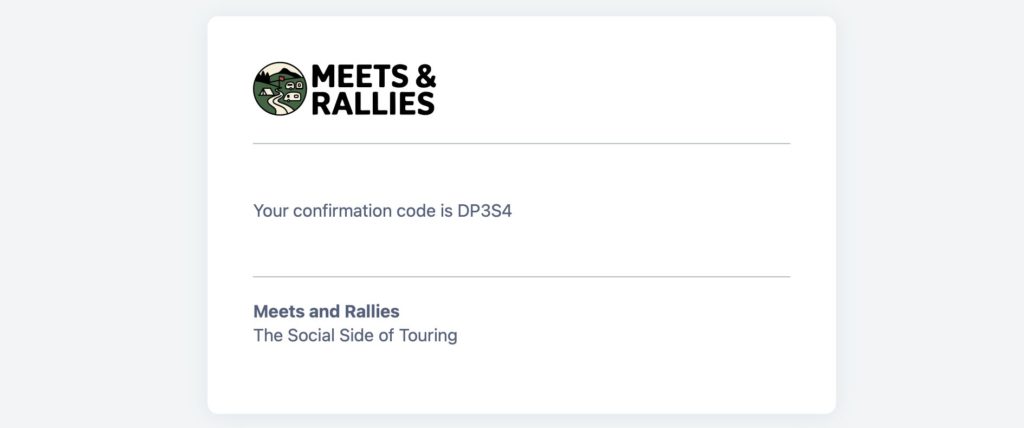
Enter your unique code.
If you have not received your code, check your email’s junk folders. It may take a couple of minutes to arrive so it’s worth a short wait. If you have still not received a code, there could be a typo in your email address you entered, so you will need to go back a step to check your email address.
Still having issues? Contact us.
Your account has now been created you should be returned to the homepage.
Clicking your name in the top right corner of the screen will give you access to your account and settings.